CD-Rom
Based Training Applications


The
PLCTrainer/LogixPro Bundle
** The Site License includes
10 LogixPro CD/Keys
Includes
Analog instruction, an area that has been overlooked
by most training materials.
The PLCTrainer includes a Laboratory Manual full of
proven practical applications that allow the student
to gain an understanding of the PLC's Instruction Set.
The screens demonstrating the Instructions have a look
and feel of RSLogix, plus if you own a copy of RSLogix
you can open it from within The PLCTrainer !
Introduction
to PLCs 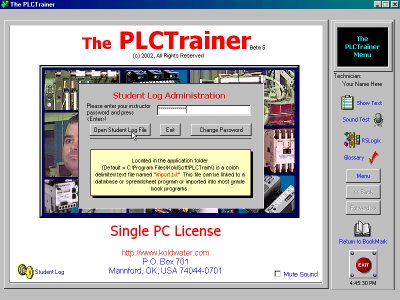
Input/Output Modules
Safety Circuit
PLC Processors
Numbering Systems & Codes
Basic Programming
Timer Instructions
Counter Instructions
Program Control Instructions
Data Manipulation
Math Functions
Shift Registers & Sequencers
Analog Inputs & Outputs
Networks
Human Machine Interfaces
Trouble Shooting
Lab Manual
Ability to Call RSLogix or LogixPro
Book Marking
Password Protected Student Log File
Glossary
Trouble Shooting Flow Chart
Video Animations
The
LogixPro
Simulator
Combine our ProSim-II programmable process
simulations with a PLC Editor/Emulator (included) which
mimics Allen-Bradley's (Rockwell) RSLogix 500, and you
have LogixPro 500; a complete stand-alone PLC training
system without the expense of a PLC.
LogixPro
500 is the ideal tool for learning the fundamentals
of RSLogix ladder logic
programming. The look, feel 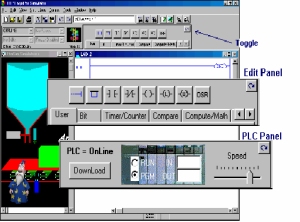 and
operation of our ladder rung editor so closely mimics
Allen-Bradley's world renown software offering, that
many need a second look to be sure who's editor they're
using. Of course the give-away is the
and
operation of our ladder rung editor so closely mimics
Allen-Bradley's world renown software offering, that
many need a second look to be sure who's editor they're
using. Of course the give-away is the  window
containing one of our ProSim-II Simulations. This is
where LogixPro really out-shines typical PLC training
setups employing a PLC connected to a handful of switches
and lights. By graphically simulating process equipment
such as conveyors etc. in software, the synchronous
and interactive nature of real industrial processes,
presents the student with a far more realistic and challenging
programming experience.
window
containing one of our ProSim-II Simulations. This is
where LogixPro really out-shines typical PLC training
setups employing a PLC connected to a handful of switches
and lights. By graphically simulating process equipment
such as conveyors etc. in software, the synchronous
and interactive nature of real industrial processes,
presents the student with a far more realistic and challenging
programming experience.
The
CLXTrainer
The
ControlLogix Training Software includes the following
units of instruction...
Introduction to ControlLogix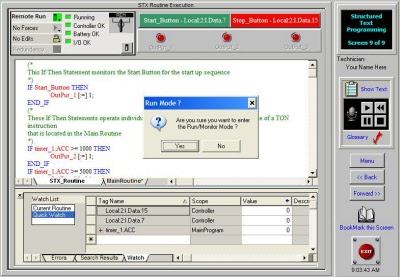
Overview of RSLogix5000
ControlLogix Architecture
ControlLogix Memory
Project Organization
Data File Types
ControlLogix Bit Instructions
Timer Instructions
Counter Instructions
Data Collecting
File/Data Manipulation
Shift Registers/Sequencers
Program Control Instructions
Configuring Analog Modules
Structured Text Programming
Function Block Programming
Documenting Programs
Communications
--
Final Exam
-- Laboratory Manual
-- Password protected Student Log File
-- Ability to print Certificate of Completion
-- Ability to print test responses
The
ViewTrainer
Human
Machine Interface
"The ViewTrainer". This new HMI Training covers
RSView32 Works Software.
Human-Machine-Interfaces and SCADA (Su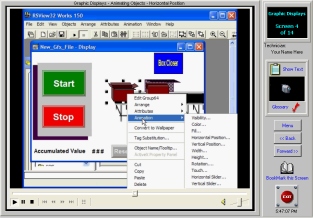 pervisory
Control and Data Aquisition) systems are becomming more
important than ever in the world of industrial controls.
The ViewTrainer provides you with the knowledge to begin
building these complex systems.
pervisory
Control and Data Aquisition) systems are becomming more
important than ever in the world of industrial controls.
The ViewTrainer provides you with the knowledge to begin
building these complex systems.
This
new HMI Training (RSView32) Software includes the following
units of instruction..
RSLinx Communications
DDE Topics & Excel
Creating a new RSView Project
Graphic Displays & Animation
Alarms
Data Logs
Run Mode
Interactive Quiz
--
Final Exam
-- Laboratory Manual
-- Password protected Student Log File
-- Ability to print Certificate of Completion
-- Ability to print test responses
The
VFDTrainer
Variable
Frequency Drives are becoming the standard in industry
for precise control of motors and rotating equipment.
The VFDTrainer is a tutorial on 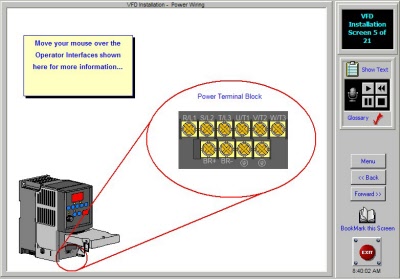 the
basic operation, installation, programming and trouble
shooting of these units.
the
basic operation, installation, programming and trouble
shooting of these units.
This
new VFD Training Software will include the following
units of instruction..
AC
Motors
Uses of Variable Frequency Drives
Parts and Operation of a VFD
VFD Control
VFD Installation
VFD Start-up
Soft Starters
Trouble Shooting
Interactive Quiz
--
Final Exam
-- Laboratory Manual
-- Password protected Student Log File
-- Ability to print Certificate of Completion
-- Ability to print test responses
The
TSTrainer
The
TSTrainer is a multi-media computer-based training module
design to instruct the user in proper control trouble
shooting techniques. Drill and prac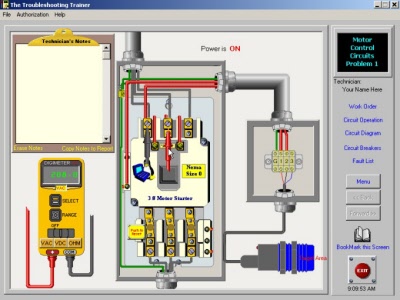 tice
is used to reinforce skills. The realistic control systems
include both electro-mechanical motor control as well
as PLC control. A virtual meter is used to diagnose
the faults within the systems. Below are a few screen
shots of this exciting new training application! Hands-On
Live Voltage Troubleshooting without the Risk...
tice
is used to reinforce skills. The realistic control systems
include both electro-mechanical motor control as well
as PLC control. A virtual meter is used to diagnose
the faults within the systems. Below are a few screen
shots of this exciting new training application! Hands-On
Live Voltage Troubleshooting without the Risk...
Includes
3
Basic Control Circuits Problems
5
Motor Control Problems
8
PLC Control Problems
A
'Virtual Meter' with moveable leads
Lab
Manual
Certificate
of Completion
Password
Protected Student Log File
The
MCTrainer -
Single PC License
$129.00
A
CD-RO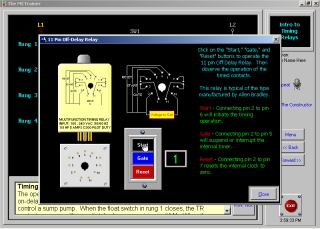 M
based training application on Motor Controls. Includes
the following
M
based training application on Motor Controls. Includes
the following
Wiring
Diagrams vs. Ladder Diagrams
Ladder Diagram Logic & Basic Rules
Solenoids
Electromechanical Relays
Introduction to Timers
Control Applications
AC Motors
Sensing Devices
Preventative Maintenance
Safety
Two Wire Controls
Three Wire Controls
Separate Controls
Hand-Off-Automatic Controls
Sequence Controls
Reversing Controls
Jogging Controls
Timing Relay Circuits
Starting Methods
Deceleration Methods
An Introduction to PLCs
Interactive Quiz
Certificate of Completion
Laboratory Manual
Student Management System
Ability to call The Constructor *
Bookmarking
*Note:
The Constructor is NOT part of The MCTrainer. It must
be purchased seperately.
DeviceNet
Tutor-Level 1
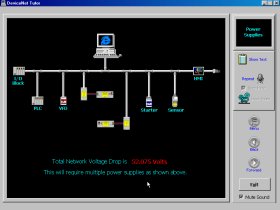
The Level 1 release covers such topics as:
What
is DeviceNet
Component Identification
Physical Media
Power Supplies
Grounding
Tips & Tricks
Glossary
The tutorial will include a Laboratory Manual for use
by Tech Schools, Community Colleges,
Company Training Departments, Apprenticeship Programs
and individuals.
The
FPTrainer
The
Fluid Power Trainer is a multi-media computer-based
training module design to instruct the user in basic
fluid power principles. This tutorial  includes
the following units of instruction.
includes
the following units of instruction.
Basic
Fluid Power Principles
Fluid Power Symbols & Schmatics
Cylinders
Control Valves
3-Way & 4-Way Valves
4-Way & 5-Way Valves
Pumps
Misc. Components
Trouble Shooting.
A Lab Manual and Answer Key are also included in the
application.
The
Constructor
- Single PC License
$399.00
The
Constructor program makes the creation, testing, trouble-shooting,
teaching and printing of electrical ladder diagrams,
schematics and one line diagrams fast and easy. The
multimedia -active Constructor tutorial yystem or ACTS
system and Daily Tips makes learning to use this powerful
software much faster and easier. Powerful zooming features
for faster editing and easier viewing of your electrical
diagrams. Over 50 color schemes allow you to set your
personal color pr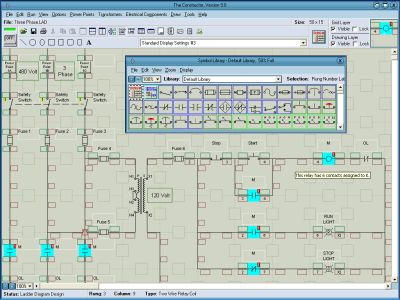 eference.
This
program is unique in its ability to test an electrical
circuit. You can see the power flow in the diagram and
hear the sound effects when a motor or siren is energized.
Hear up to 20 different sounds at once. An optional
additional sound library allows you to add 126 more
sound effects to your diagrams. Your complete circuit
can be tested from the three phase power components
to the control circuit. The built-in symbol libraries
of over 600 symbols makes the creation of your diagrams
fast and easy. Diagrams of over 300 rungs may be created
in this version. The built-in symbol editor allows you
to create your own custom symbols. Once designed, any
circuit can then be virtually energized and operated
on your computer monitor. The circuit will perform the
same as a hard wired electrical circuit. The design
can be edited and re-tested saving valuable time when
it comes to hard wiring circuits and trouble-shooting
scenarios. Automatic legends and borders allow you to
make professional looking diagrams quickly. You can
print your ladder diagrams out on your choice of any
printer or plotter that Windows supports. The diagram
may be saved to your hard drive or a floppy disk for
easy reference or modification. You can also save images
from within The Constructor program as bitmap files.
The bitmap files can then be used for printing or imported
into other programs.