Basic control circuits
- 3 simulated circuit problems
- Basic troubleshooting techniques
- Virtual meter with movable leads
TSTRAINER · INTERACTIVE WINDOWS SOFTWARE
Build a method for finding the fault.
Use a virtual volt-ohm meter with movable leads to investigate simulated control systems. TSTrainer combines troubleshooting instruction with drill-and-practice exercises, progressing from basic electrical circuits to motor controls and PLC-controlled equipment.
Self-paced study · About 10 hours · 16 simulated problems · Offline Windows software · No subscription

WHAT THE COURSE TEACHES
CHOOSE YOUR TSTRAINER LICENSE
Select a Student or Site License below to see its price and add TSTrainer to your cart. For multiple locations, request an Enterprise License quote.
Your order will be processed by our parent company, Business Industrial Network (BIN95.com). Download/activation information is emailed within 24 hours for digital versions.
License Types:
Student License – 1 learner may take the course.
Site License – Unlimited installs at a single physical location.
Enterprise License – Unlimited Site Licenses across multiple locations. (Request Quote)
Site and Enterprise licenses include a mini LMS for progress tracking.
For purchase orders, contact sales@koldwater.com. For course questions, email support@koldwater.com or call 702-625-7715.
INTERACTIVE, NARRATED SELF-STUDY
Designed for maintenance technicians, electricians, apprentices, and students who want more practice diagnosing control faults. Study the explanation, investigate the circuit in the software, and use what you observe to work through the problem.
Review proper circuit operation and the accompanying diagram before investigating the simulated fault.
Move the meter leads to test points within the software and compare readings with the behavior you expect from the circuit.
Work through the practice problems and optionally use the laboratory manual to record observations. Site and Enterprise versions save student notes for instructor evaluation.
The included PDF lab manual is intended for instructors to use in class and as handouts. Individual learners can also use it as optional extra learning material. The lab manual is not required to pass the course.
Troubleshooting instruction · Interactive circuit exercises · Virtual volt-ohm meter · Optional PDF laboratory manual · Printable certificate of completion
Site and Enterprise licenses include saved student notes, a password-protected student log, and printable test responses. The laboratory manual supports guided exploration of the circuits and discussion of observations.
LOOK INSIDE
Watch a troubleshooting-process explanation and a tour of the course software. The preview uses narration from the course and shows the electrical and PLC practice environment.
Inside TSTrainer, you investigate faults using simulated equipment and a virtual meter. These exercises provide practice with the software; they do not replace supervised work and site-specific procedures on real equipment.
Explore the virtual meter and fault-practice environment before choosing a license.
ACTUAL COURSE SCREENS
 Enlarge ↗
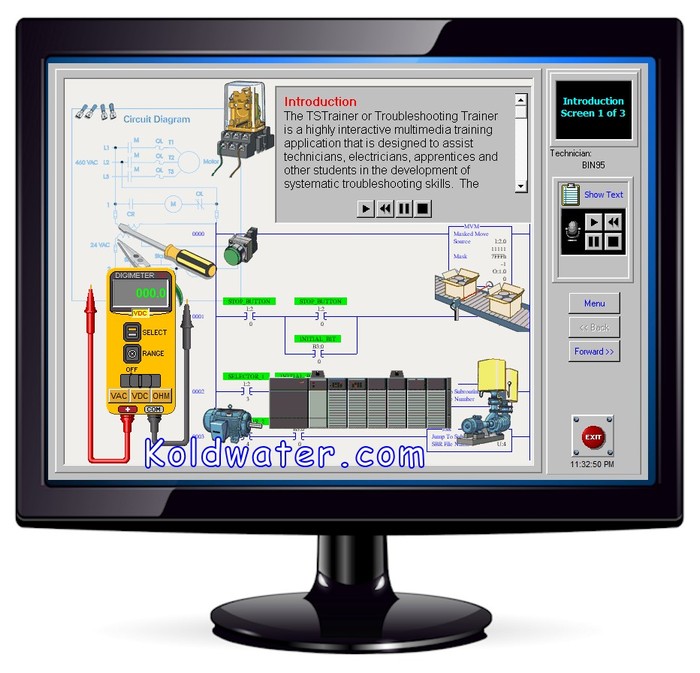
Review the introduction before moving into the circuit problems and virtual meter exercises.
 Enlarge ↗
One of the three basic control circuit simulations provides practice with the circuit and meter.
 Enlarge ↗
Explore one of the five motor control circuit problems in the course.
 Enlarge ↗
Use another simulated circuit to reinforce the relationship between its operation and your observations.
 Enlarge ↗
One of eight PLC control problems connects simulated equipment with the troubleshooting task.
 Enlarge ↗
Continue practicing fault isolation through another PLC control example.
 Enlarge ↗
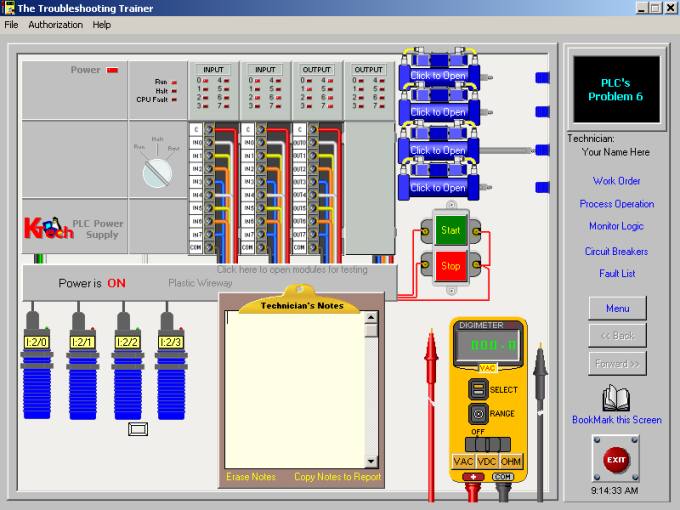
Use the additional PLC exercises to reinforce a consistent diagnostic approach.
FROM A TSTRAINER LEARNER
“The company that I work for recently bought your TSTrainer. They allowed all of the maintenance guys to use it. It has really helped to hone my troubleshooting ability.”
Ty Montgomery · Maintenance Technician
BEFORE YOU BEGIN
TSTrainer provides 16 simulated problems: three basic control circuit problems, five motor control circuit problems, and eight PLC control problems. Introductory instruction explains the troubleshooting approach and how to use the software.
The course provides a virtual volt-ohm meter with movable leads. Within the simulation, you place the leads at available test points and use the readings to help investigate the fault.
No. The circuit problems and virtual meter are part of the Windows software. Physical PLC hardware or an electrical training panel is not required for the simulated exercises.
A working knowledge of motor control circuits and PLC fundamentals is helpful. If these subjects are new to you, MCTrainer and PLCTrainer provide a useful foundation before you work through TSTrainer’s fault exercises.
Allow about 10 hours for the self-paced course. Your pace depends on your starting knowledge and how much time you spend repeating exercises or using the laboratory manual.
Yes. A PDF laboratory manual is included. It supports exploration of the simulated circuits and recording observations, and can also help instructors evaluate a learner’s understanding. The included PDF lab manual is intended for instructors to use in class and as handouts. Individual learners can also use it as optional extra learning material. The lab manual is not required to pass the course.
Yes. TSTrainer provides a printable certificate of completion after successful completion of the electrical and PLC fault exercises.
Site and Enterprise versions save student notes for instructor evaluation and provide a password-protected student log and printable test responses.
No. TSTrainer is installed Windows software for offline self-study. The license is perpetual, with no subscription fee or course expiration date.
The supplied course lists compatibility with Windows 11, Windows 10, and Windows XP. It is Windows software rather than a mobile or browser-based course.
Download and activation instructions are emailed within 24 hours of purchase. For purchase orders, contact sales@koldwater.com.
A Student License covers one learner. A Site License covers unlimited learners and installations at one physical location. An Enterprise License covers multiple physical locations; request a quote for that option.
No. The included PDF lab manual is intended for instructors to use in class and as handouts. Individual learners can also use it as optional extra learning material. It is not required to pass the course.
Return to the license selector to view pricing and place your order.
Go to Purchase ↑KEEP BUILDING YOUR SKILLS