Read the circuit
- Basic fluid-power principles
- Pneumatic and hydraulic symbols
- Reading schematics
- Component and symbol matching
FPTRAINER · INTERACTIVE WINDOWS SOFTWARE
Connect the schematic with the component it represents.
See what changes when a valve switches, follow a cylinder through its motion, and relate a schematic symbol to a real component. FPTrainer uses narrated animation and guided simulations to explain pneumatic and hydraulic circuits, connecting fluid-power principles and formulas with visible system behavior.
Self-paced study · About 25 hours · Offline Windows software · No subscription
WHAT THE COURSE TEACHES
The lessons begin with basic principles, then connect symbols, components, and circuit behavior. This is self-paced training software for learning the subject, rather than a general-purpose circuit design package.
CHOOSE YOUR FPTRAINER LICENSE
Choose a Student License or Site License below to see its price and add FPTrainer to your cart. For training across multiple locations, request an Enterprise License quote.
Your order will be processed by our parent company, Business Industrial Network (BIN95.com). Download/activation information is emailed within 24 hours for digital versions.
License Types:
Student License – 1 learner may take the course.
Site License – Unlimited installs at a single physical location.
Enterprise License – Unlimited Site Licenses across multiple locations. (Request Quote)
Site and Enterprise licenses include a mini LMS for progress tracking.
For purchase orders, contact sales@koldwater.com. For course questions, email support@koldwater.com or call 702-625-7715.
INTERACTIVE, NARRATED SELF-STUDY
Work between the symbol, the component, and the moving circuit. Narrated explanations and interactive examples let you repeat an action and inspect the relationship between flow, pressure, and motion at your own pace.
Compare pneumatic and hydraulic symbols with component illustrations, then use guided exercises to reinforce what each symbol represents.
Explore cylinder motion and valve operation. Drag and drop components or schematic symbols to complete the provided system diagrams.
Review the formulas and values beside the animations, revisit troubleshooting examples, and check your understanding with the interactive final exam.
The included PDF lab manual is intended for instructors to use in class and as handouts. Individual learners can also use it as optional extra learning material. The lab manual is not required to pass the course.
Audio narration · Readable lesson text · Bookmarking · Interactive circuit examples · Symbol reference PDF · Optional PDF laboratory manual · Interactive final exam · Printable certificate at 85% or better
Site and Enterprise licenses include a password-protected student log and printable test responses. The guided simulations are built into FPTrainer; you do not need a separate circuit simulator to work through the course lessons.
LOOK INSIDE
Watch the sample lesson to see how the course presents fluid-power components and uses animation to connect a diagram with system behavior.
FPTrainer provides predefined learning examples and guided interactions. You can explore the supplied circuits, but the course is not an unrestricted editor for designing and testing your own hydraulic or pneumatic systems.
Preview the narrated lesson style before choosing your license.
ACTUAL COURSE SCREENS
 Enlarge ↗
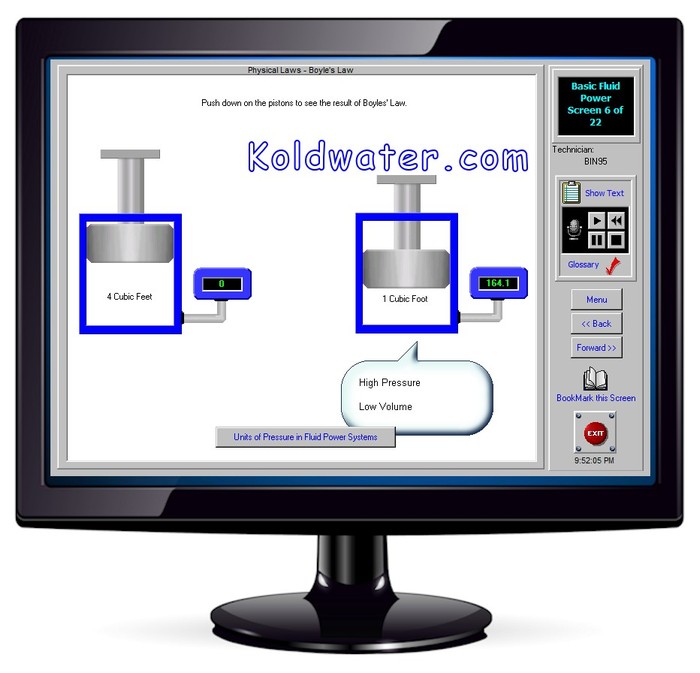
Connect introductory fluid-power ideas with the visual examples used throughout the course.
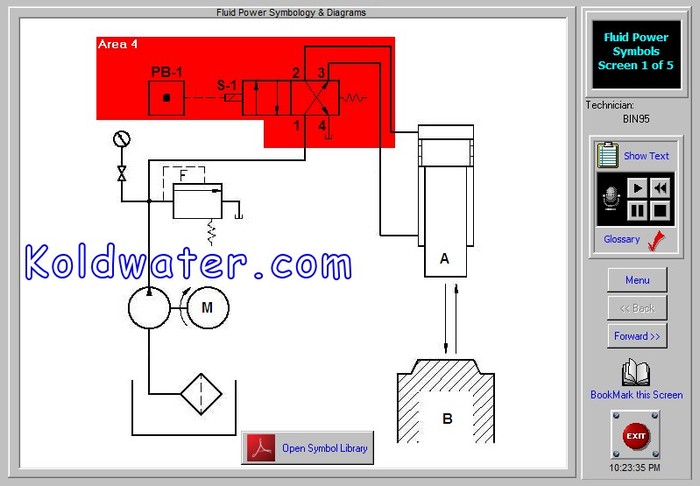
Enlarge ↗Explore the symbol exercises and relate the diagram notation to pneumatic and hydraulic equipment.
 Enlarge ↗
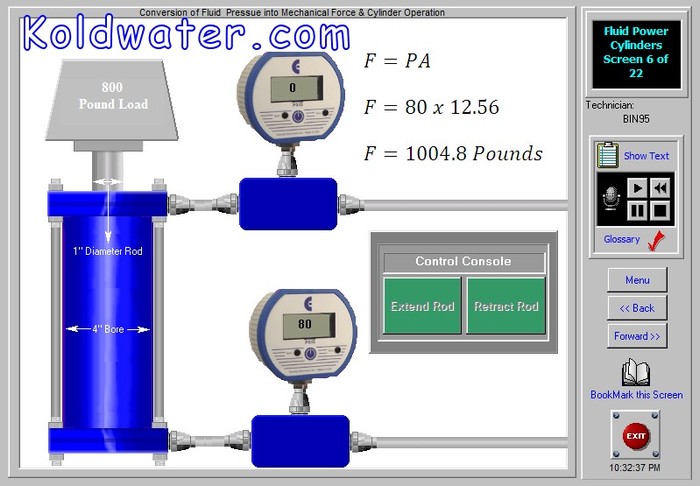
Study the animation alongside formulas and values to connect the principle with the component’s operation.
 Enlarge ↗
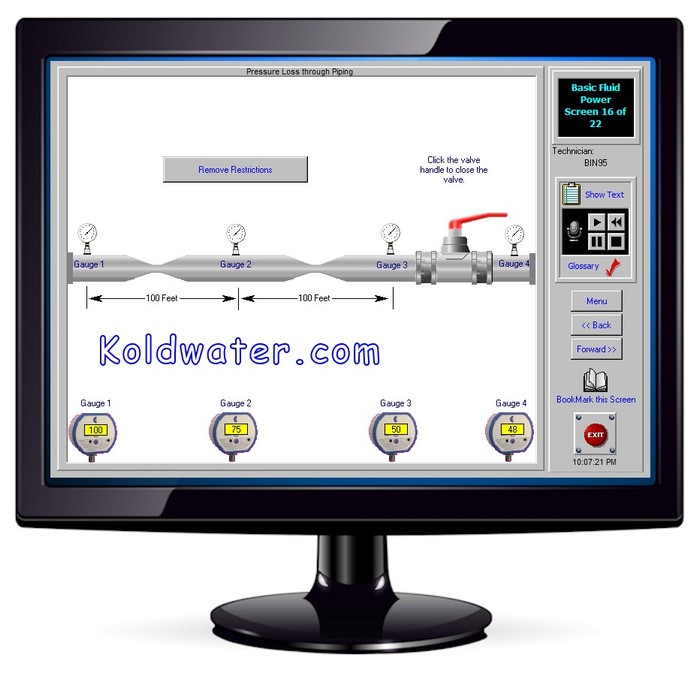
Use the interactive examples to connect fluid-power fundamentals with system behavior.
 Enlarge ↗
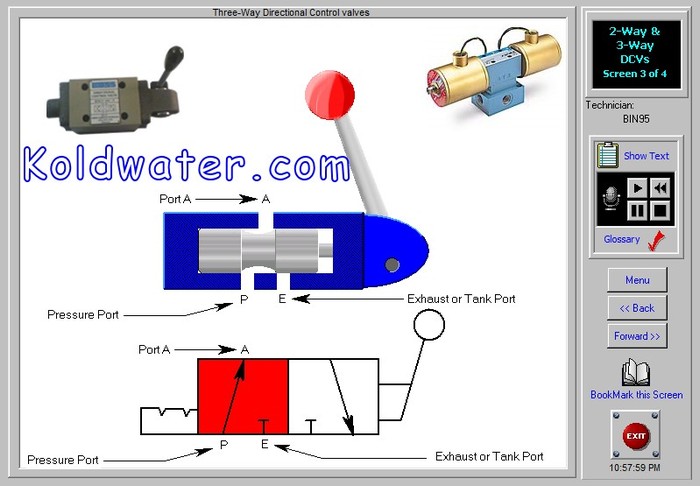
Study how flow changes when you operate the directional-control valve in the provided example.
 Enlarge ↗
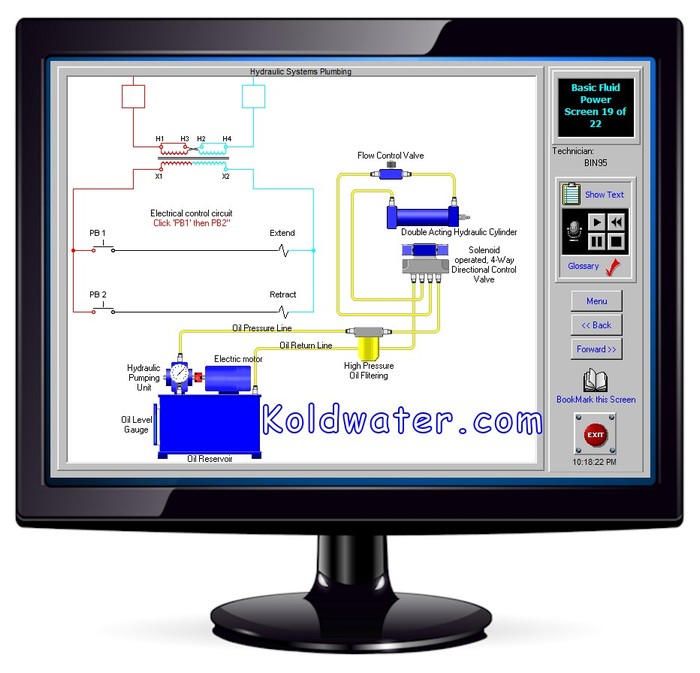
Drag and drop components or schematic symbols into place to reinforce the circuit relationships.
 Enlarge ↗
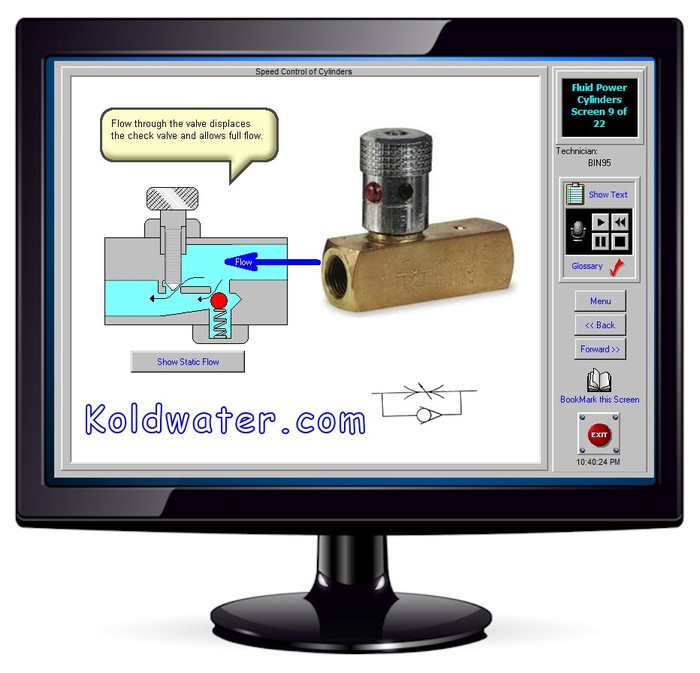
Review side-by-side schematic symbols and component illustrations, supported by narration and animation.
 Enlarge ↗
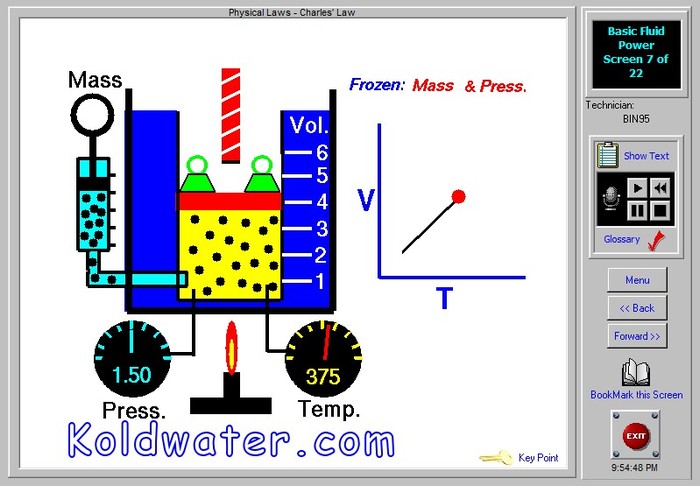
Explore formula examples and simulations that make changing values easier to visualize.
 Enlarge ↗
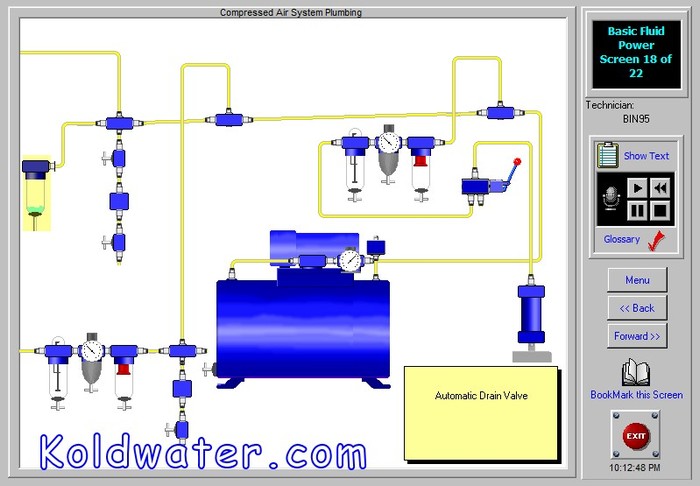
Extend the lessons to the plant compressed-air system and its role in pneumatic operation.
 Enlarge ↗
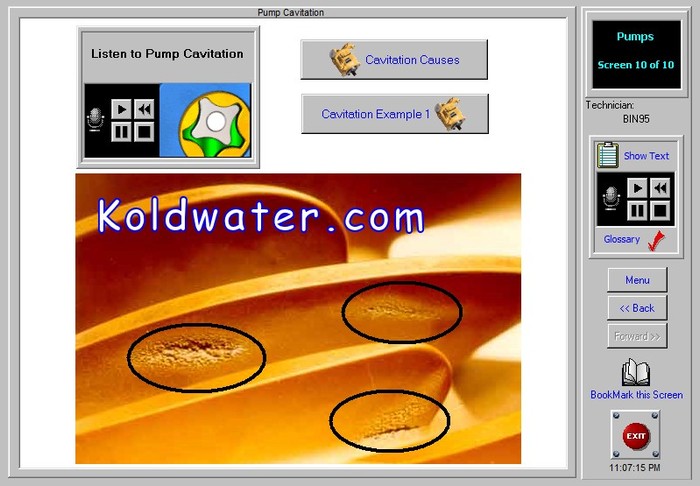
Review the cavitation guide, including its sound example, as part of the course’s troubleshooting section.
BEFORE YOU BEGIN
FPTrainer connects fluid-power principles with pneumatic and hydraulic symbols, schematics, cylinders, valves, pumps, and other components. It also includes compressed-air system and troubleshooting examples.
Yes. The course uses pneumatic and hydraulic examples to explain components, circuit behavior, and basic fluid-power principles.
Examples include animated cylinder operation, directional-control valve interactions, formula demonstrations, and drag-and-drop exercises for completing pneumatic and hydraulic system diagrams.
Yes. The lessons connect pneumatic and hydraulic symbols with component illustrations and guided exercises. A PDF symbols reference is also included.
The outline includes control-valve operation, 3-way and 4-way valves, and 4-way and 5-way valves. Guided examples let you observe how changing a valve position affects the illustrated circuit.
FPTrainer is a guided training application with predefined examples and exercises. It is not a general-purpose circuit editor for building and testing your own hydraulic or pneumatic designs.
Yes. The troubleshooting section covers common problems and their solutions. One example is the cavitation guide, which includes a sound example to reinforce the lesson.
Allow about 25 hours for self-paced study. Your pace depends on your background and how often you repeat the examples or use optional supplemental material.
Yes. FPTrainer includes an interactive final exam and a printable certificate of completion when you score 85% or better.
No. The included PDF lab manual is intended for instructors to use in class and as handouts. Individual learners can also use it as optional extra learning material. It is not required to pass the course.
Yes. FPTrainer is installed Windows self-study software with offline lessons. The supplied compatibility information lists Windows 11, Windows 10, and Windows XP. The website’s sample video requires an internet connection.
The course uses a perpetual license with no subscription or course expiration date. Download and activation information is emailed within 24 hours of purchase.
A Student License covers one learner. A Site License covers unlimited learners and installations at one physical location. An Enterprise License covers multiple locations. Site and Enterprise versions include a password-protected student log and printable test responses; request a quote for Enterprise licensing.
Return to the license selector to view pricing and place your order.
Go to Purchase ↑KEEP BUILDING YOUR SKILLS